Find a Fish It script around the way you want to fish in Roblox. Compare Auto Fish, Auto Sell and other listed tools, check the key requirements, and read the device notes before choosing. Copy the code from the catalog or download the same script as a Lua file.
Compare what each script offers. Copy the code or save a Lua file.
25 scripts available
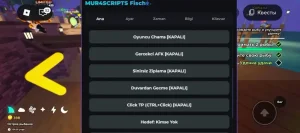
Auto Farm & Teleports for Fish It in Roblox — Keyless
No Key
Get a free keyless script for Fish It in Roblox with auto farming, teleport options, speed boosts, and automatic quests. It works on both PC and mobile devices.
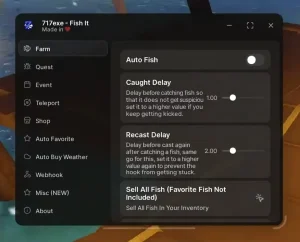
717EXE Hub — Fish It Auto Fish and Auto-Sell Tools
717EXE Hub for Fish It includes fishing and farming automation, plus an option to sell your catch while keeping favorite fish. Fish Spawner and Infinite Coins are advertised by the source, but actual server-side fish or currency creation has not been confirmed.
Auto Fish for automated fishing
Auto Farm to streamline resource farming
Auto Sell All Fish while protecting marked favorite fish
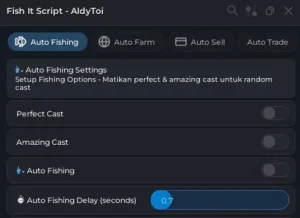
AldyToi is a Fish It utility featuring automated fishing, casting assistance, farming, selling, and trading. It is listed for use with the Delta injector and does not require a key; availability was checked on November 1, 2026, but in-game execution was not tested.
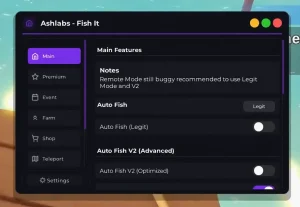
Ashlabs Hub is a Fish It utility with Auto Fish V2, automatic selling and automatic purchasing. It also includes farming tools and teleport options; Delta is the listed compatible injector, and no key is required.
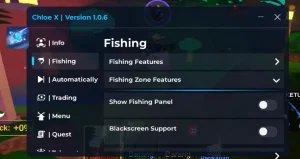
Chloe X — Fish It Instant Fish, Auto Sell & Teleports
Chloe X for Fish It combines Instant Fish, Auto Fish, Auto Sell, teleport options, and automation settings in one script. It is listed for use with the Delta injector and does not require a key.
FishIt Auto Equip & Shop is a Fish It script with tools for automatic fishing, rod equipping, and shop actions. It is listed for Delta and does not require a key; the loader was checked on November 1, 2026, but the game was not launched for testing.
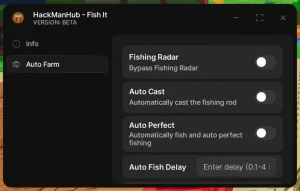
HackMan Hub - Fish It Fishing Radar, Auto Farm & Auto Fish
HackMan Hub for Fish It combines Fishing Radar, Auto Farm, and Auto Fish in one script. You must replace PUT YOUR KEY HERE in script_key before launching it; a key is required.
script_key="PUT YOUR KEY HERE";
loadstring(game:HttpGet("https://hackmanhub.pages.dev/loader.txt"))()
Delta
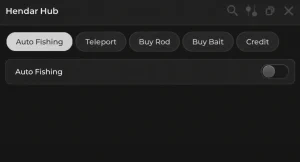
Hendar Hub — Fish It Auto Fishing, Rods & Bait
Hendar Hub is a Fish It script with automatic fishing, teleport options, and quick purchases for rods and bait. It works with the Delta injector and does not require a key.
MengHub - Auto Fishing, Selling & Teleports for Fish It
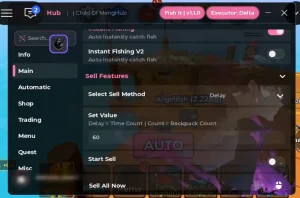
MengHub for Fish It includes Auto Fish, Instant Fishing V2, configurable Auto Sell options, adjustable delays and fish limits, plus teleports. The loader automatically selects a separate Fish It module; it requires no key and is compatible with Delta.
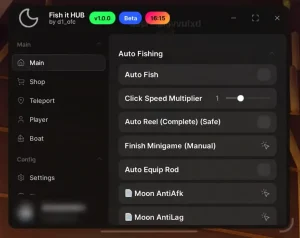
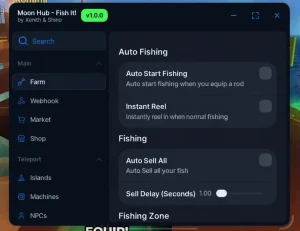
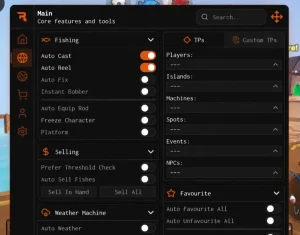
Moon Hub for Fish It combines automatic fishing, quick reel actions, selling tools, ESP, and island teleport options. The loader was checked on November 1, 2026; gameplay in Roblox was not tested, so the listed functions are based on the author's description and interface.
Automatically starts fishing
Instantly reels in catches
Sells everything automatically with an adjustable sell delay
Mystrix Hub — Fish It Auto Fishing, Farming & Teleports
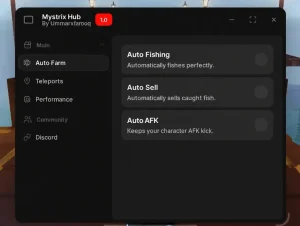
Mystrix Hub is a Fish It script with automatic fishing, farming tools, teleport options, and performance settings. It is listed for use with the Delta injector and does not require a key.
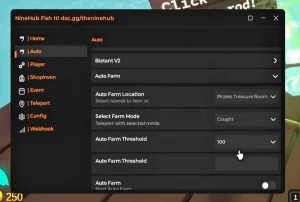
Nine Hub is a Fish It script focused on quicker fishing and automated farming. It includes location-based Auto Farm settings, instant and speed fishing options, No Visual, and controls for the farming mode and threshold.
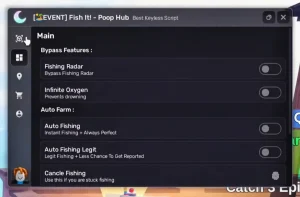
Poop Hub for Fish It is a keyless fishing helper with automation and character options. The page and original interface label it NO KEY / Keyless; claims about actually creating fish have not been verified.
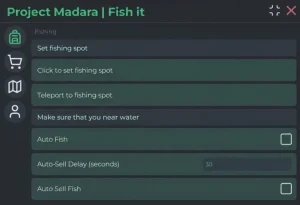
Project Madara is a Fish It loader with tools for automated fishing, selling catches, clicking, and farming. It also lets you choose a fishing location and selects the matching Fish It module.
Rift Hub combines egg-stealing tools for Steal an Egg with Auto Farm, Instant Catch, and Auto Buy options for Fish It. It includes zone and mutation filters, base return, a Titan Temple egg mode, Manage controls, and God Mode; the loader is keyless and intended for Delta and Xeno.
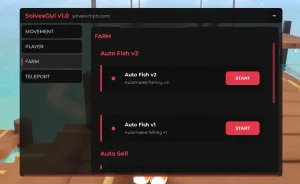
SolvexGUI is a separate Fish It file featuring Auto Fish V2, Sell All, Fishing Radar, teleport options, and character movement settings. It is not the SolvexGUI module made for another game.
Speed Hub X — Farming Tools for Steal an Egg, Blox Fruits & Fish It
No Key
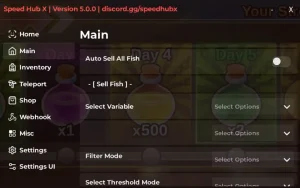
Speed Hub X is a multi-game hub that detects whether you are playing Steal an Egg, Blox Fruits, or Fish It and loads the matching module automatically. It includes farming, ESP, teleport, trading, selling, and purchase tools, with no key required; availability was checked on November 1, 2026, while in-game execution was not performed.
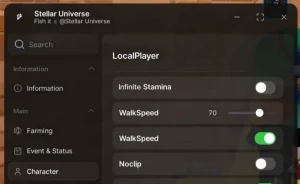
Stellar Hub adds automated fishing tools to Fish It, including fish-farming automation and a character speed setting. The interface is labeled Stellar Universe.
Thunder Hub — Fish It Auto Fishing and Perfect Cast
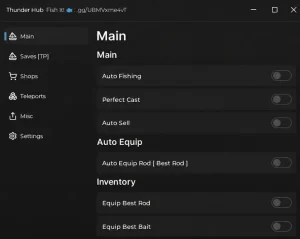
Thunder Hub for Fish It combines automated fishing with Perfect Cast and automatic selling. It also includes settings for managing your inventory and bait. The loader is available for Delta; no key is required.
SyxHub - Fish It Auto Fishing, Instant Fishing & Teleports
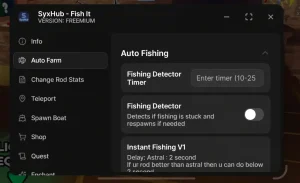
SyxHub for Fish It combines Auto Farm, Auto Fishing, Instant Fishing, teleports, and rod stat customization in one script. It is compatible with the Delta injector and does not require a key. The loader was checked on 01.11.2026; Roblox gameplay was not tested, so the listed functions are based on the author's interface and description.
Trash Hub Free — Fish It Instant Fishing & Player Settings
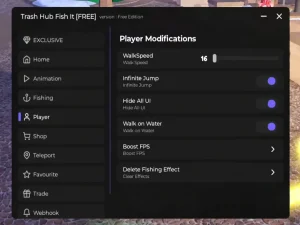
Trash Hub Free is a free version for Fish It with Instant Fishing, Auto Farm, fishing-speed controls, and character movement options. It also includes Walk on Water and a way to remove fishing effects. The loader was checked on November 1, 2026; in-game Roblox execution was not tested.
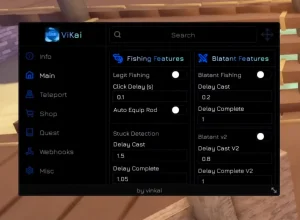
ViKai Hub adds automated fishing tools for Fish It, including hands-off farming and adjustable fishing delays. The loader includes a dedicated Fish It option and is compatible with Delta; no key is required.
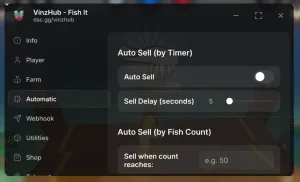
Vinz Hub Free is a Fish It utility with Instant Fishing, Auto Farm, and flexible fish-selling options. Its universal loader detects Fish It automatically, and the loader availability was checked on November 1, 2026.
Wings Hub — Blade Ball & Fish It ESP and Automation
Wings Hub adds an AI-style Blade Ball mode that keeps a chosen distance from the ball, moves around the arena with adjustable range, smooths its motion, and occasionally looks around for a less robotic feel. It also includes configurable parrying, target priorities, prediction, ball details, tracers, and Fish It automation; the Fish It module requires a key.
ZOKADA — Fish It farming, selling, and island teleports
ZOKADA for Fish It combines automated farming and selling with island teleport options. It also lets you summon any boat; no separate ZOKADA screenshot is provided, and the card cover uses official Fish It artwork rather than the loader interface.
Use this guide alongside the individual entries. Fish It focuses on fishing and travel across its world; it is a different game from Fisch and Fishing Simulator. Keep the game name and your current goal in view while comparing tools. A listed capability, an equipment effect and a checked result answer different questions.
Fish It Scripts for Roblox: Choose by Your Fishing Goal
What to Check in a Fish It Script Before Copying
A fishing session can involve repeated casts, decisions about the catch, and a trip to a different spot. Choose the part that matters to you first. The Fish It Scripts catalog is organized around individual listings, so a feature belongs to the card that describes it rather than to every script on the page. If the catalog is empty, the guides still explain how to compare a future listing without presenting example code as a real release.
Use a narrow goal such as repeating a fishing cycle or managing a documented selling action. Searches for Cheats or Hack often combine very different expectations; those words do not create free equipment, change a reward rule or guarantee a result. A useful description tells you what an option does and what remains under your control.
The fishing step you want to automate.
The functions the selected listing actually describes.
The script’s key requirement, separate from the executor.
Device support that names your setup or clearly remains unknown.
Auto Fish, Auto Farm and the Roblox Fishing Loop
Casting, Catching and Selling Are Different Steps
Fish It! is a Roblox fishing game by Fish Atelier. Its basic fishing interaction involves charging a cast and then rapid clicking to catch a fish. Think of the session as several connected decisions: prepare the cast, complete the catching interaction, inspect the result and decide what to do next. Selling a catch is a separate task from catching it, even when a script groups several controls in the same menu.
Auto Fish is commonly used as a fishing feature label. Auto Farm can describe a broader routine, but the wider name alone does not reveal whether it also sells catches or moves between locations. The table is a vocabulary guide for reading a listing, not a list of functions guaranteed to be available. It helps you ask a concrete question about each stage instead of expecting one switch to handle the entire session.
What each fishing script feature refers to
Feature
Fishing stage
What to check in the listing
Auto Fish
Fishing cycle
Which casting or catching steps the script actually describes.
Auto Farm
One or more repeated tasks
Whether selling or travel is included or controlled separately.
Auto Sell
Selling catches
What it sells, how it starts, and whether any exclusions are described.
Teleport
Travel
Which destinations are listed and whether the feature is currently described.
Fish It Auto Fish Scripts: Read the Feature List
How Auto Farm Labels Apply to Fish It Fishing
For a repeated fishing session, identify where the routine begins and ends. A description that mentions catching does not necessarily describe preparing the next cast. A description that mentions a repeated cycle does not necessarily include decisions about the resulting inventory. Look for the actions the author actually names, then consider whether those actions match the part of fishing you want to repeat.
Two descriptions can both say Auto Fish while explaining different controls. One may discuss only a fishing option; another may explicitly separate fishing from selling. Compare that stated scope before comparing how many buttons appear in a screenshot. Auto Reel and Perfect Cast are also labels you may encounter. Their names suggest a relation to catching or casting, but the individual description must explain the claimed behavior.
The Auto Fish and Auto Farm guide breaks this down into a session checklist. It also explains how to distinguish a fishing pause from a selling problem, so you can investigate the step that actually changed.
Auto Sell Scripts and Your Catch Inventory
Check What Gets Sold Before Starting a Session
After several catches, the inventory becomes a decision point: keep something, review it or sell it under the game’s available rules. Players look for Auto Sell to reduce repeated selling actions, but the important detail is what the selected option will act on. Before using it, find out how it starts, whether selling is a separate control and which catches its description includes.
Do not assume that a favorite marker, rarity or other personal distinction is automatically respected. A protective rule is useful only when that rule is actually described for the selected option. If exclusions or selection behavior are not specified, there is no basis for treating your preferred catches as protected. Review the inventory yourself before deciding whether an automatic sale fits the session.
Selling from a particular location and selling remotely are also different claims. Neither a broad farming label nor a picture of a sell button establishes remote access or a particular currency payout.
Fish It Rods and Baits Still Shape Your Fishing
Plan Fish It Upgrades Around the Gear You Actually Have
An equipment decision starts with the rod and bait you already own. Read their current descriptions in the game, then compare one obtainable alternative with the same goal in mind. A change that matters for your intended fishing session is more useful than an unsourced ranking of supposedly best items. Keep the item requirement, displayed effect and current cost together so that a visually impressive option does not hide an access condition.
Automation describes actions; equipment describes the tools the game recognizes. A script’s name does not show that it grants a rod, supplies bait, unlocks a paid item or controls a server reward. Separate those questions when you plan an upgrade. The rods and baits guide provides a comparison worksheet and explains what to reconsider after an update. It avoids invented item statistics because a practical choice needs the information currently shown for your actual equipment.
Teleport Tools, Fishing Spots and Travel
Check the Destination Before You Use a Travel Feature
Travel changes where you spend the session and which actions are convenient when you arrive. If a listing describes Teleport, start with its destination list and the purpose of each destination. A place name, a map picture and an actual documented travel control are different pieces of information. Match the option to a location you can identify in the current game.
This section describes a question to ask when choosing a script; it does not establish that a Teleport entry is currently available. A travel label also gives no assurance of access to locked content. Consider your return route and your next fishing action before selecting any movement feature. If a destination or access requirement is missing from the description, ordinary navigation within the game gives you a clearer basis for planning than guessing from the feature name.
Fish It Scripts on Android, iOS and PC
Check the Script and Executor for Your Fish It Device
A useful setup has several separate parts: the Roblox client, the selected Lua script and the execution environment, often called an executor. Roblox running on a phone or computer establishes only the client part. The script and the particular tool build need their own support information. Delta, Xeno and Solara are names readers may encounter, but a name by itself does not identify an operating system, release or supported script.
On a phone, menu usability deserves a second look after compatibility. Can you reach a switch without covering another control? Can a long options list scroll? Is the closing control visible when the device is narrow? These questions make an interface easier to use, but a touch-friendly screenshot is not proof that it works on either mobile operating system.
The table identifies the evidence to look for. Unknown means that the necessary information is missing, not that a successful result has been demonstrated. Use the Android, iOS and PC guide for separate platform checks and the distinction between an author’s statement and a recorded test.
Device support needs both a script and executor check
Device
Executor detail
Script or menu detail
Support information
Android
Exact supported Android build
Documented script support and touch controls
Read the selected script’s device notes.
iOS
Explicit support for the exact iOS setup
Documented support, not a mobile-looking menu
If iOS is not specified, support is unknown.
PC
Exact desktop operating system and executor build
Documented script support and menu controls
A PC label alone does not identify every OS.
No Key, Copy and Lua Download: Know the Difference
Copy the Code Now or Download the Same Lua File
No Key refers to the selected script’s access process when that status is stated. It does not describe an executor’s separate key process, a paid game item or every other entry in the catalog. Keep the two access questions separate so that a later prompt can be identified by the step where it appears.
Copy gives you the code displayed in the chosen card immediately. Download takes you to a page in the same language, where a 15-second wait precedes the file button. The server checks that wait; the visible countdown alone does not bypass it. The Lua file represents the same selected code rather than a different installation package.
Downloading saves text to your device. It does not run Lua in the browser or install an executor. You can still read the guides and select code manually if an automatic clipboard action is unavailable. Follow the sequence below to keep the card, copied text and downloaded file associated with the same selection.
Confirm that the listing is for Fish It, not Fisch.
Read its functions, key requirement and device notes.
Use Copy for the code shown in that card.
Use Download if you need the same code as a Lua file.
On the download page, wait 15 seconds and use the file button when it becomes available.
When a Fish It Script Menu or Feature Stops Working
Check Fish It Updates, Script Notes and the Exact Symptom
Start with the last action that worked. If code was copied successfully, the clipboard step is complete even if no menu later appears in the game. If the menu opens but selling does not occur, the issue is narrower than a total failure to load. This simple distinction prevents changes to unrelated browser settings when the question actually concerns an individual script option.
Review the chosen card and its current notes, then record the visible symptom in ordinary words. Game changes and script revisions can affect a previously described behavior, but a recent update is not automatically the diagnosed cause. Preserve the exact message if one is shown. The help page separates Copy, download, menu and feature problems and explains which details are useful in a report. Never include account passwords or private access keys when asking for help.
Fish It Scripts FAQ
Answers About Fish It Auto Fish, Keys and Devices
How do I choose a Fish It script for Roblox?
Start with the feature you want, such as a repeated fishing cycle or a documented selling option. Read that script’s listed tools, key requirements and device notes. A broad Auto Farm label does not tell you exactly what it automates. Choose from the actual catalog and use the help guide if an important detail is missing.
Are Auto Fish, Auto Farm and Auto Sell the same thing?
No. Auto Fish usually names a fishing-related routine, while Auto Farm may describe a wider set of tasks. Auto Sell refers to selling catches. The exact behavior depends on the particular script, so do not assume one switch includes all three. Check which steps the listing describes and whether any feature needs a separate setting.
Can a Fish It script give me a better rod or guarantee rare fish?
A script label is not evidence that it grants equipment or guarantees a catch. Rods, bait and rewards depend on the game’s current rules and server-controlled systems. Use the rods-and-baits guide to evaluate real upgrades, and treat free-item or guaranteed-catch claims as unconfirmed unless reliable evidence supports the specific statement.
Does No Key mean I will never see a key screen?
No Key describes the selected script’s own access requirements when that status is documented. An executor may have a separate access or key process. Check both independently. If a listing does not confirm its key status, do not assume it is keyless, and do not treat one keyless entry as a promise about the whole catalog.
Can I use Fish It scripts on Android, iOS and PC?
Support depends on the particular script and executor build, not only on whether Roblox runs on your device. Check the listing’s platform notes and the current evidence for the tool you use. A touch-friendly menu does not prove iOS or Android support. Unknown compatibility should remain unknown until it is documented or checked.
Why can I copy a script but cannot download or open its menu?
Copy, download and the in-game menu are separate steps. Copy places the listed code on your clipboard. Download opens a page with a 15-second wait before the same Lua file becomes available. A missing game menu concerns the script or its execution environment. Use the help page to troubleshoot the step that actually failed.